Designing a Multi-Role AI Dashboard for Elder Care Insights

Transforming behavioral data into actionable insights for better care decisions
Team

AI / Data Science
Clinical Research Team
Product & Strategy
Software Engineering

Responsibilities

  • Defined role-based system architecture, access, and data visibility
  • Designed scalable UX/UI patterns that transformed complex data into clear, actionable insights
  • Researched and introduced new workflows and features to support AI-driven care coordination
Overview

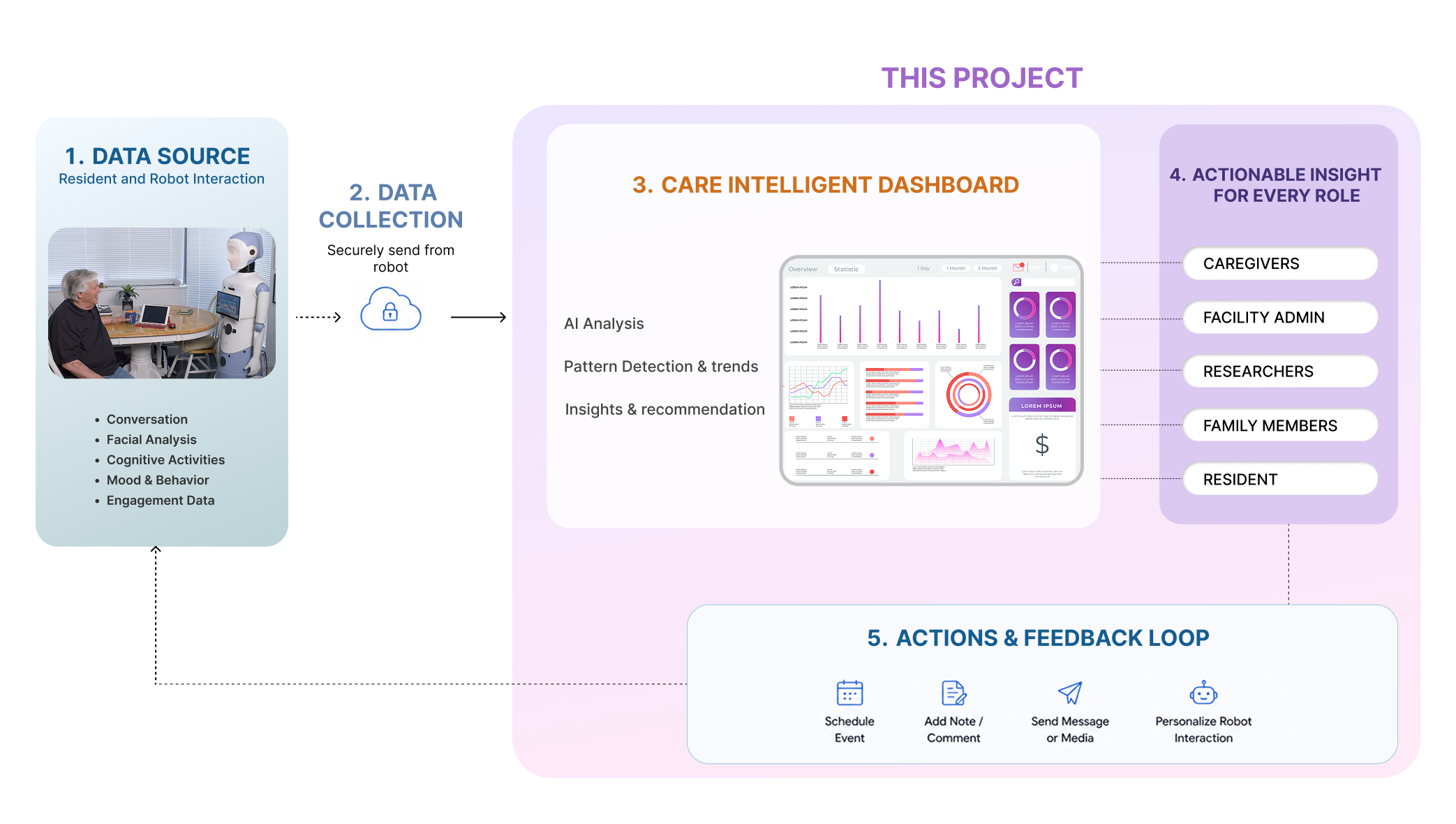
Product Ecosystem

Designing for care environments.

Key product and UX decisions to simplify complex healthcare workflows and large-scale behavioral data.

01 — Information design
Role-based information architecture

Different roles required different levels of visibility, access, and actions based on operational and privacy needs.

Role-based
02 — Interaction design
Turning AI into actionable workflows

AI insights were designed to support decisions with clear prioritization, recommendations, and follow-up actions.

AI workflows
03 — Visual design
Reducing cognitive load

Complex resident data was grouped into summaries, trends, alerts, and visual patterns to improve readability and scanning.

Cognitive load

Same Data, Different Meaning 

From Data to Care Decisions

Turning fragmented data into care-ready insights

Data design · UX system

Data transformation

From raw signals to role-based action — four steps that turn noise into clarity.

1
Raw data Collected from multiple sources
2
Grouped metrics Cleaned, categorized & aggregated
3
Visual patterns Metrics visualized to reveal trends
4
Actionable insights Clear actions for each role
Continuous feedback improves data quality and actions

Roles, Access & Actions

Different roles required different levels of visibility, access, and control across the system.

💡

Design decision rather than five separate dashboards, the system uses a single data layer with role-based filters. This reduces maintenance and keeps the experience consistent across all user types.

Role Deep Drive

Caregiver Dashboard

Core Caregiver Workflow

Identify

Detect risks, behavior changes, missed routines, or critical incidents

Monitor

Review activity, alerts, and AI insights

Follow Up

Track progress and care outcomes

Take Action

Schedule, communicate, and respond

Caregivers needed a fast and reliable way to monitor residents, review AI-generated insights, manage schedules, communicate through robots, and take immediate action when risks were detected.
Caregiver Dashboard

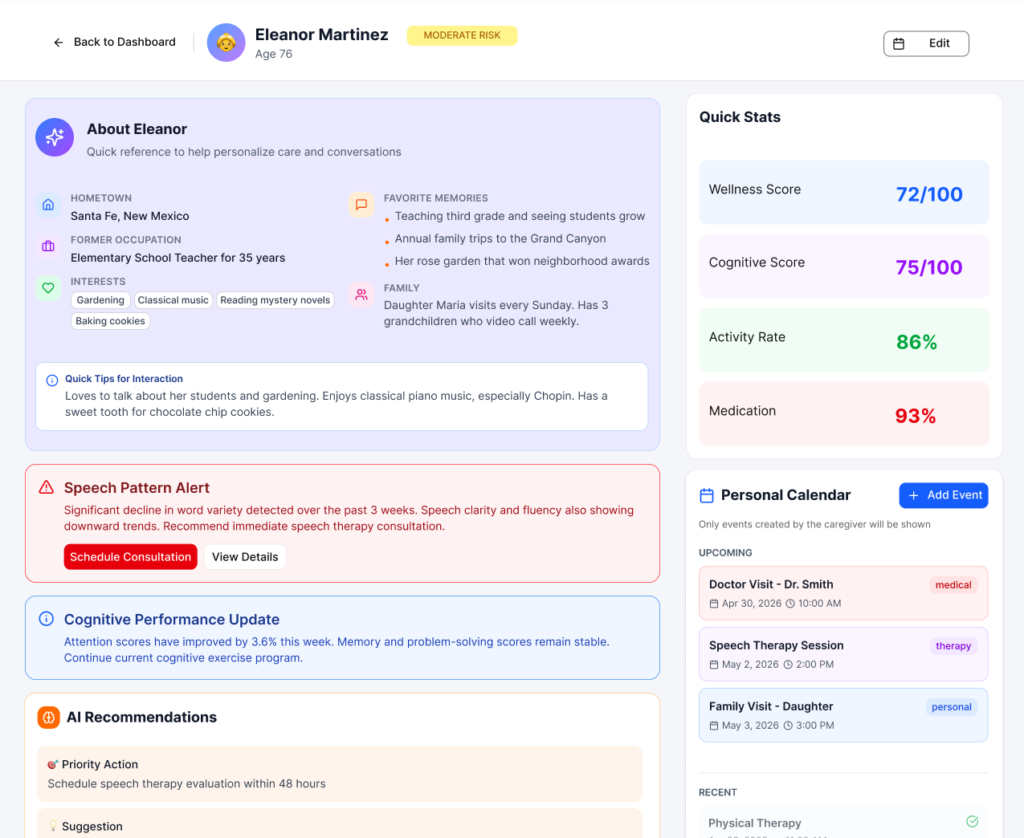
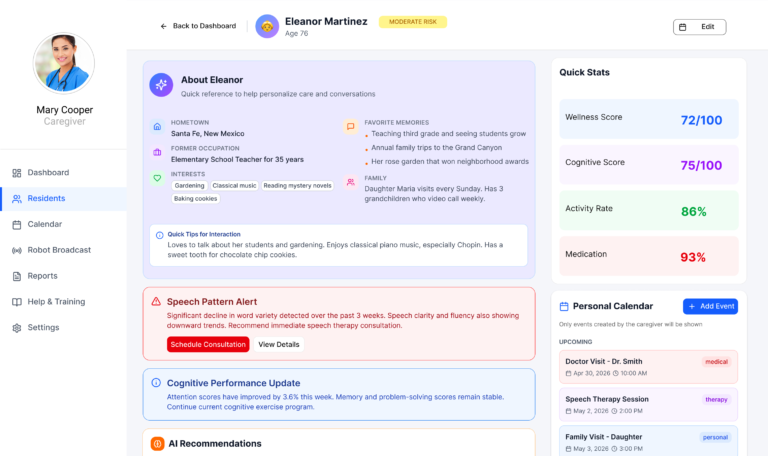
Resident Profile & Care Context

A centralized view of resident wellness, behavioral trends, AI-supported recommendations, and caregiver coordination.

AI-supported alerts

Highlights changes in speech, cognition, and activity patterns
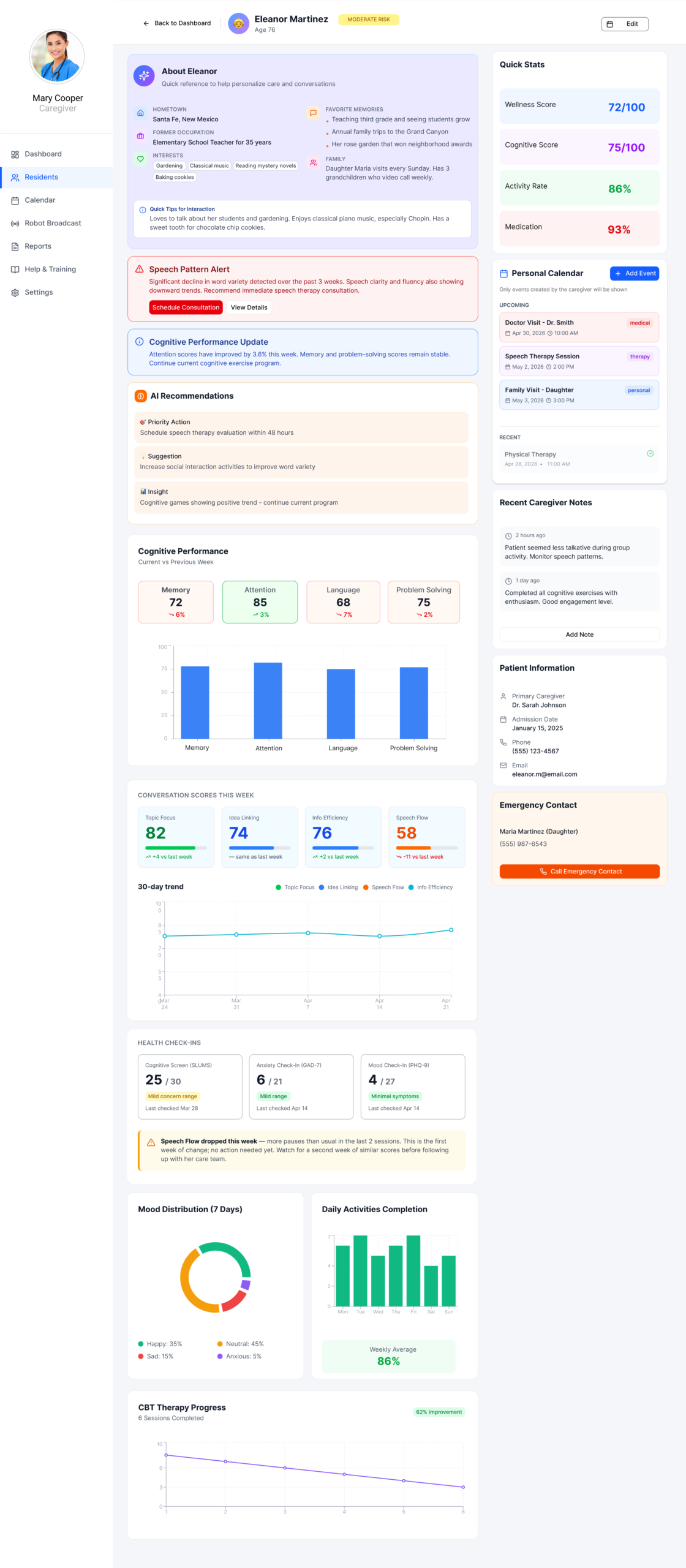
Caregiver notes

Allows staff to leave contextual notes for ongoing care and robot interactions

Wellness & cognitive trends

Tracks behavioral and cognitive changes over time

Actionable recommendations

Connects insights directly to care decisions and follow-up actions
Turned fragmented resident data into a centralized care view with AI-supported insights, behavioral trends, and actionable follow-up tools.

Caregiver Dashboard

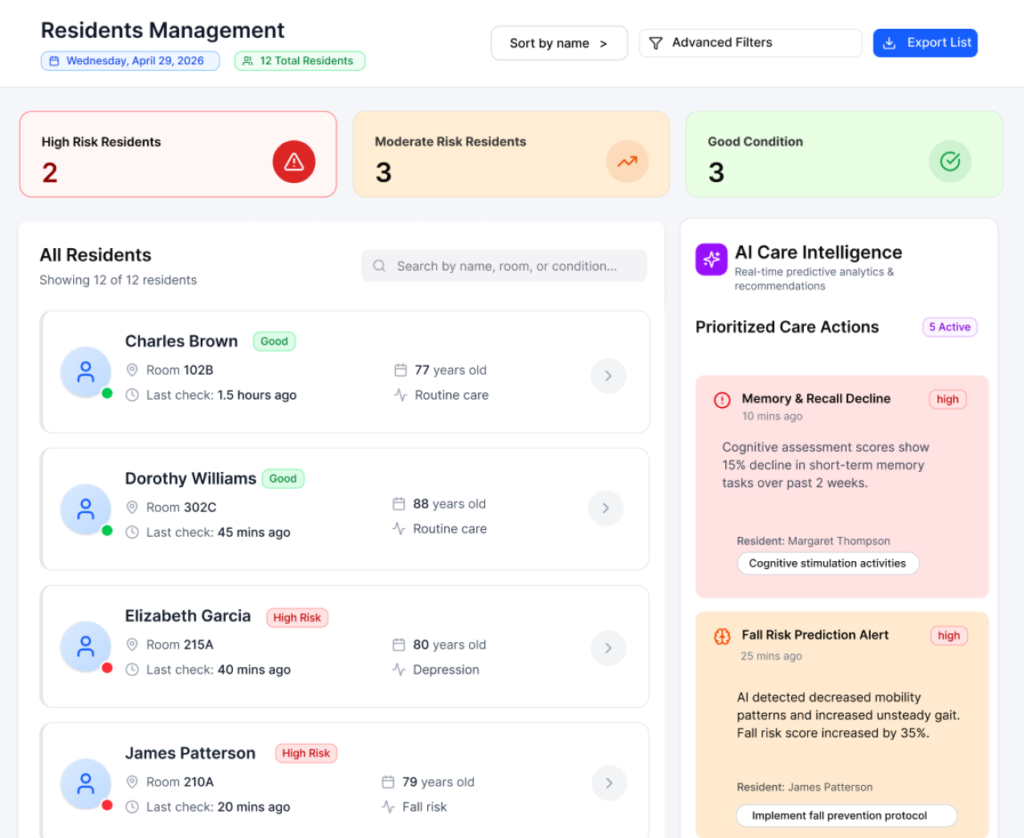
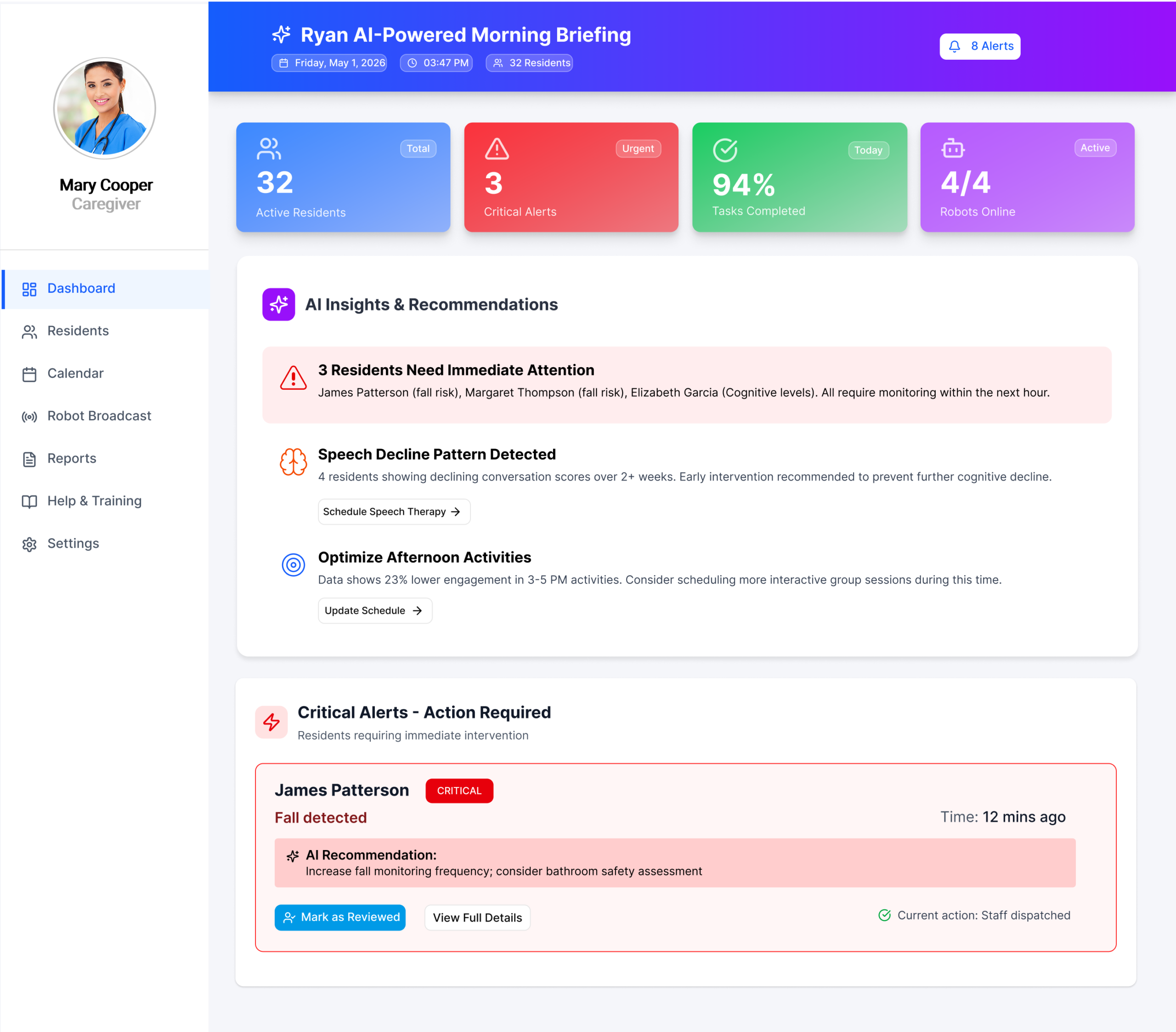
AI Insights & Critical Alerts

AI-supported insights helped caregivers identify urgent risks, prioritize residents, and take faster action.

Detect pattern → Prioritize risk → Recommend action → Caregiver response

Priority-based alerts

Highlights residents who need immediate attention

Actionable AI recommendations

Connects detected patterns to suggested next steps

Faster response workflow

Reduces time spent scanning reports and identifying risks

This view turns a long resident list into a prioritized care queue

Caregiver Dashboard

Care Coordination & Communication

Managing schedules, broadcasts, and communication workflows across residents and care teams.
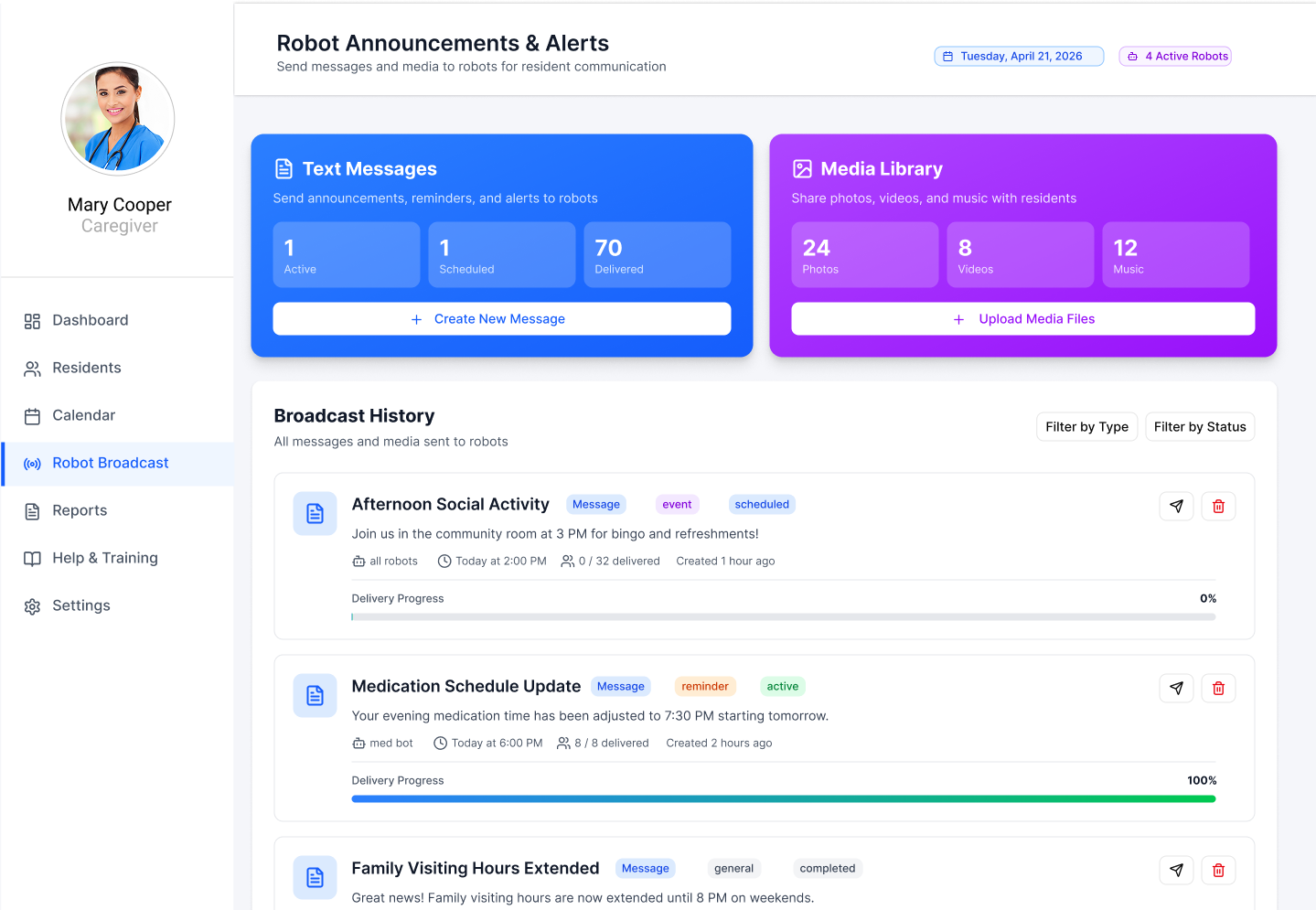
Broadcast

Robot-assisted communication

Send reminders, announcements, and media directly through robots

Shared scheduling

Coordinate therapy, visits, and daily activities across residents
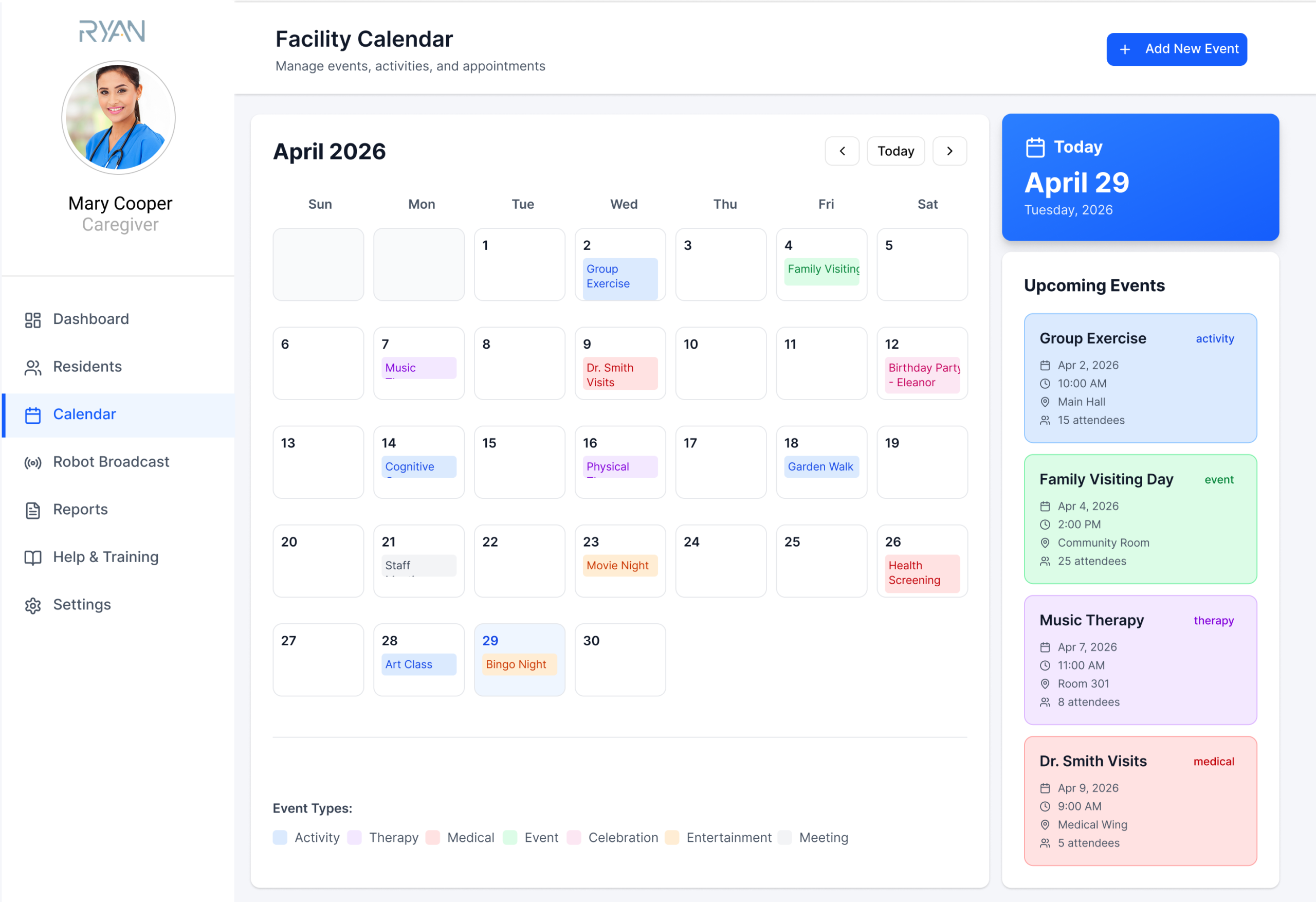
Calendar

Unified scheduling and communication into a single caregiver workflow

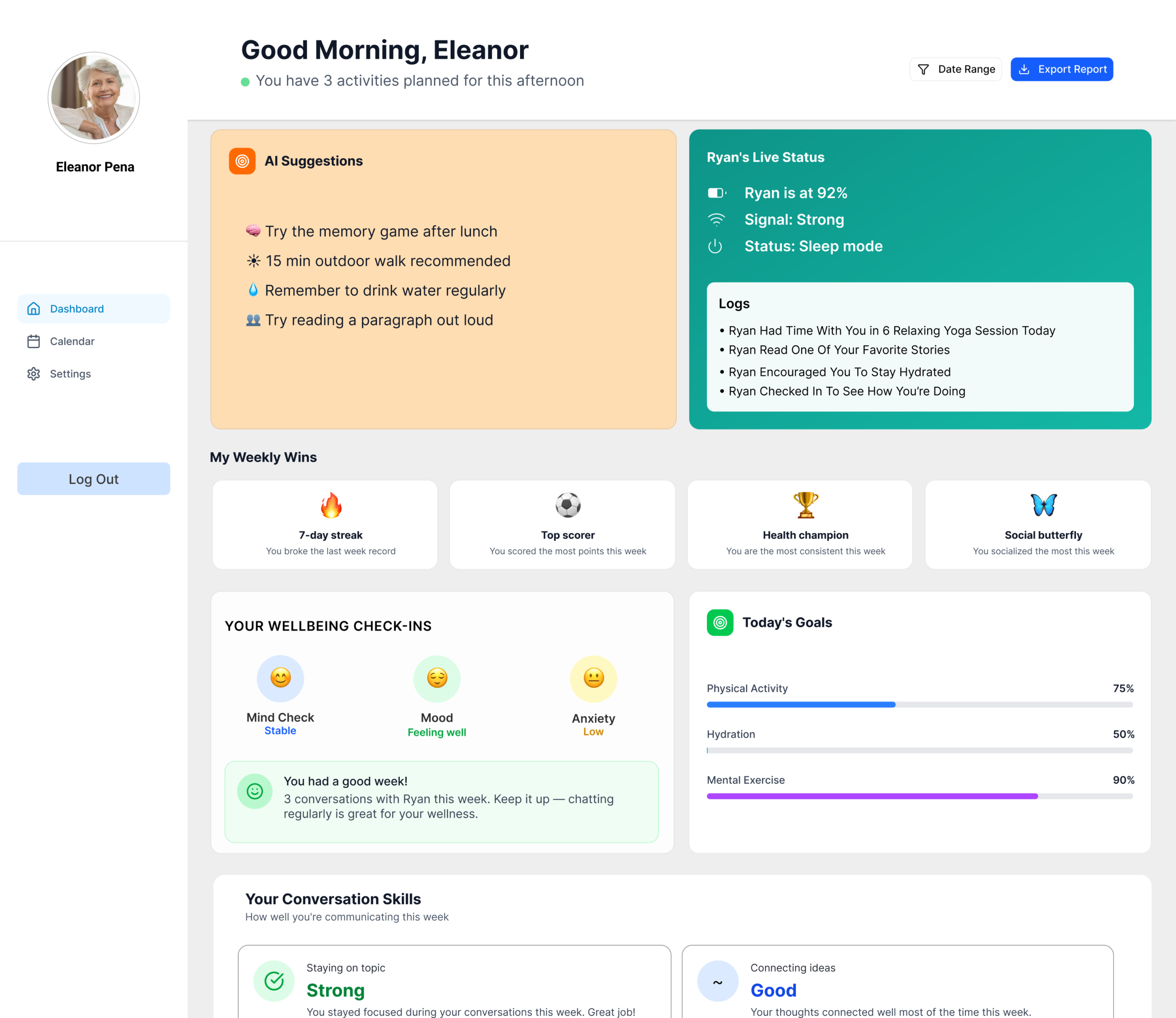
Supporting Multiple User Roles

The platform supported multiple stakeholders with different access levels, priorities, and workflows across the care ecosystem.
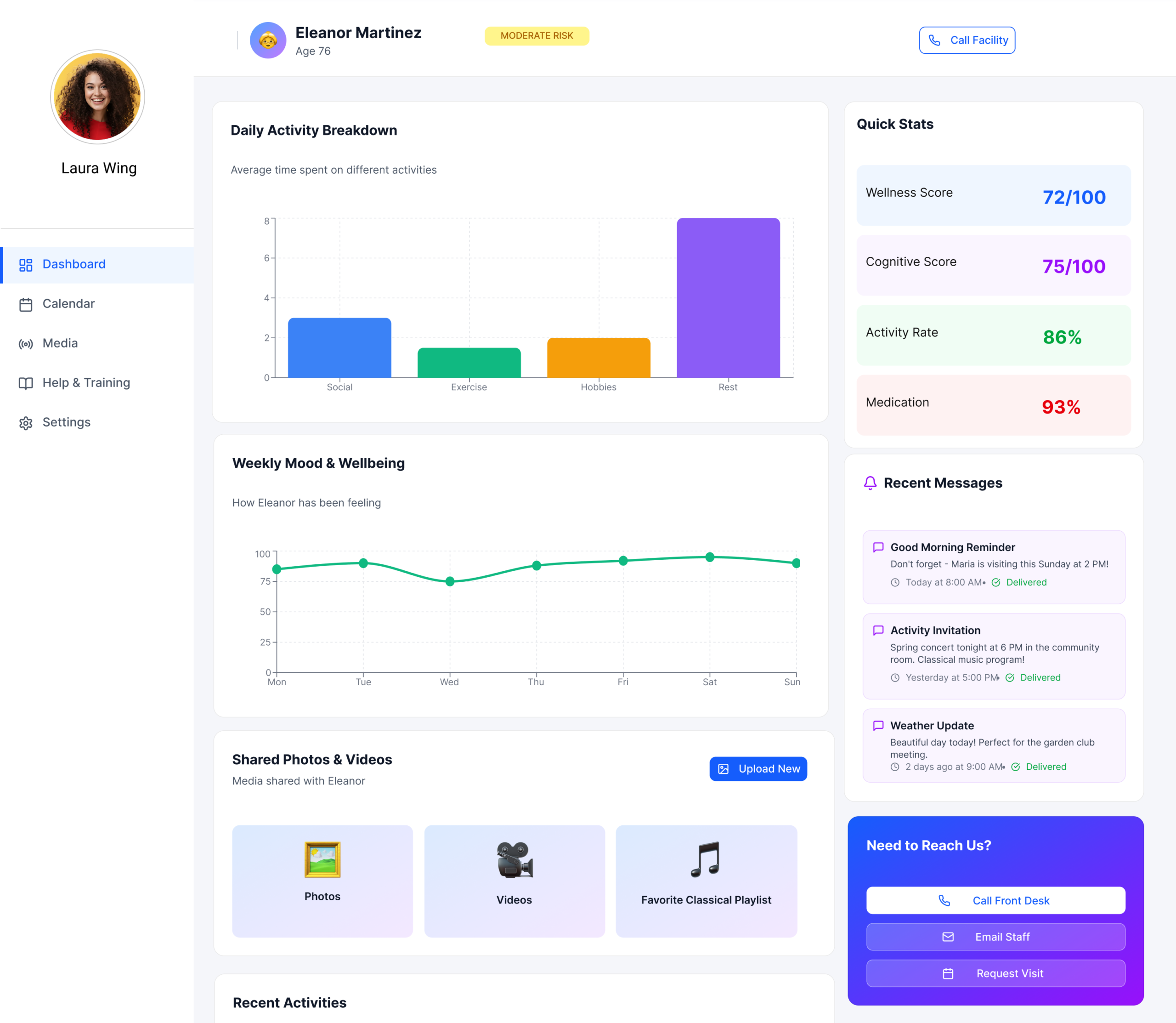
Family Member

System-wide operational visibility

Resident

Personal wellness tracking & engagement

Outcomes & Impact

Faster prioritization

Helped caregivers identify high-risk residents more quickly.

Clearer behavioral visibility

Transformed fragmented behavioral data into readable patterns and trends.

More connected workflows

Unified monitoring, communication, scheduling, and follow-up actions into one system.